
Types of Dead as Disco character mods
Players use “character mod,” “skin mod,” “model mod,” and “playermodel mod” as overlapping terms, but the archive may change different layers. A skin can mean textures over the original mesh. A model replacement can introduce a new mesh, skeleton, materials, physics, effects, or animations. A complete themed character may include several packages that must remain together.
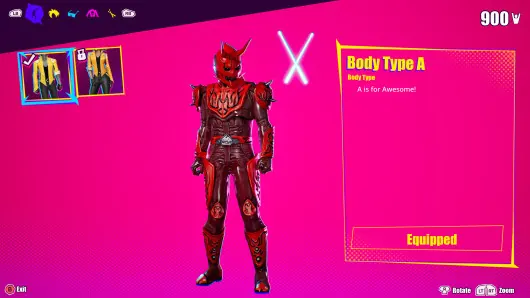
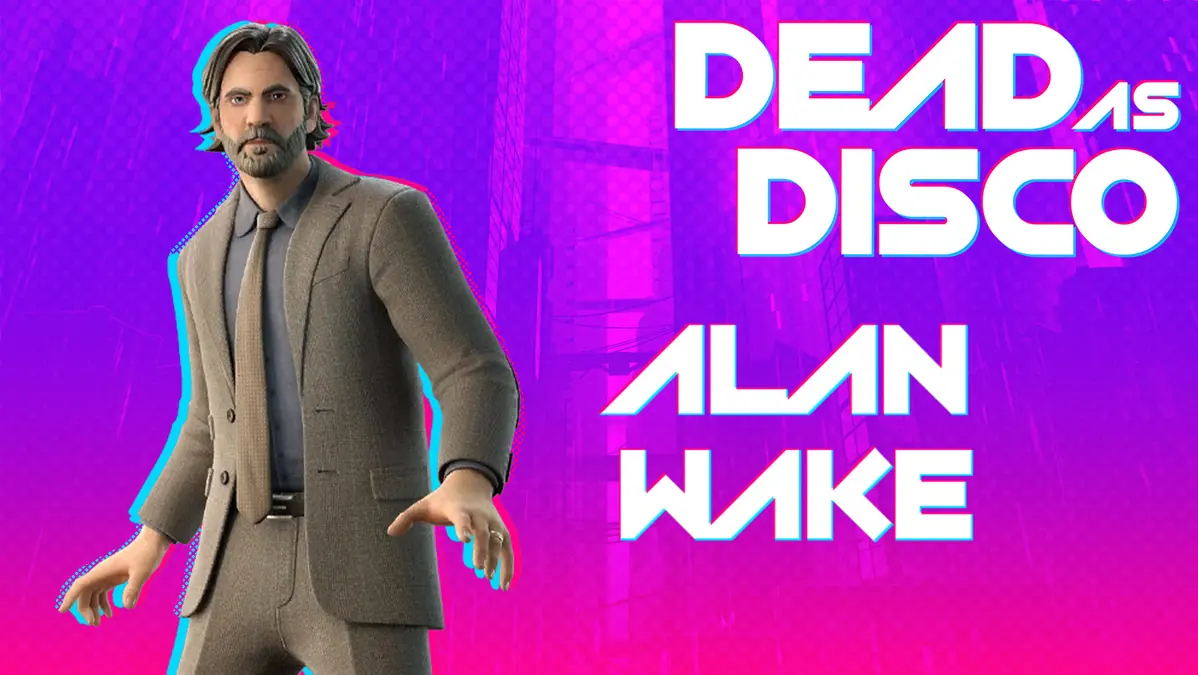
The verified GameBanana listings currently lean toward Charlie replacements, including Alan Wake, Serpentbreaker Charlotte, Zen-Aku, Momotaros, and Buffy-Sugo. That category label matters because multiple Charlie mods are likely alternatives rather than stackable additions. If two downloads replace the same cooked assets, the game cannot reliably display both at the same time.
Searches for Michael Jackson, Genshin, Gojo, Dante, furry, anime, or other named character mods show demand, not proof that a current file exists. A useful directory must separate a real source listing from a requested or discussed concept. Do not download a file merely because its title matches a popular character query.
| Mod label | Likely change | Main compatibility question |
|---|---|---|
| Skin or texture mod | Textures and material appearance | Does it require the original model and matching material files? |
| Character or model replacement | Mesh, materials, and sometimes skeleton data | Which playable slot does it replace? |
| Playermodel package | A grouped in-game fighter replacement | Are all required package files included and for the current build? |
| Animation or effects add-on | Moves, effects, or supporting assets | Does it require a base model or another dependency? |
| Character request | A community idea with no downloadable file | Is this a released mod or only a request page? |
How to choose a safe character or skin mod
Open the original listing and look beyond the preview image. Record the author, mod version, last update, target character category, required software or base mod, obsolete flag, and whether the Files area is available. Read recent comments for reports tied to the current release, but treat comments as troubleshooting clues rather than guaranteed instructions.
A screenshot proves that the creator produced a visible result in some setup. It does not prove compatibility with your build, loader, platform, or other installed replacements. Prefer a listing that explains the target slot, installation path, requirements, and removal process. If the archive contains unexplained executables, scripts, or password-protected files, pause until the source explains them.
Keep the original archive filename and listing URL. Renaming everything to “skin1” or merging multiple archives into one folder destroys the audit trail you need when textures disappear or the game updates.
- Source: use the creator's Nexus Mods or GameBanana page, not an anonymous mirror.
- Status: avoid obsolete files unless you intentionally test an older build.
- Target slot: know whether the mod replaces Charlie or another character.
- Dependencies: install required base files before the replacement.
- Preview evidence: compare more than one screenshot when the listing provides them.
- Rollback: keep a clean copy or launcher verification method ready.
How to install Dead as Disco skin mods
Use the general installation workflow, but add one character-specific check: identify every file that belongs to the replacement and which slot it targets. A model may depend on matching texture, material, physics, or skeleton packages. Copying only the file whose name looks like the character can create a half-installed state.
Preserve the archive hierarchy. If the author supplies a complete game-relative folder tree, merge it from the corresponding root. If the listing requires a loader, install and test the loader before the character package. Do not create a new path based only on an old tutorial or another mod whose layout happens to look similar.
- Return to a clean character slotRemove or disable any existing replacement for the same fighter and verify that the original character loads normally.
- Read the listing requirementsConfirm the target slot, supported game build, loader, and any base character package.
- Inspect the whole archiveKeep related model, texture, material, and support files together. Do not select only the largest package.
- Copy one replacementPreserve the supplied path relative to the installed game and record every copied file.
- Test the affected fighterOpen menus, gameplay, moves, effects, and a full stage rather than stopping at the title screen.
- Check more than one lighting conditionMissing or incorrect materials can appear only on certain maps, effects, or camera angles.
Fix lost textures and invisible character models
A purple, black, glossy, invisible, or checkerboard character usually points to missing or mismatched materials and textures. First remove the replacement and confirm that the original character returns. Then compare the installed files with the archive and verify that no support package was skipped, renamed, or placed one folder too high.
If the model loads but textures do not, check whether the listing names a base mod or separate texture dependency. Two packages can also overwrite the same material path even when their preview characters look different. Disable every other replacement for that slot and retry with only the required files.
An outdated character mod may reference assets that changed between the demo and full release. Do not solve that by collecting random package files from other mods. Look for an author update or a compatibility patch tied to the same source. If none exists, mark the package as incompatible with your current setup and restore clean files.
| Symptom | Likely cause | First action |
|---|---|---|
| Original character still appears | Wrong folder, loader inactive, or replacement targets another slot | Verify the supplied path and target character |
| Character is invisible | Missing model dependency or package pair | Compare every installed file with the archive |
| Textures are missing or wrong | Material or texture package absent or overwritten | Run only this replacement and its documented dependencies |
| Crash when selecting the fighter | Build mismatch, broken package, or duplicate replacement | Remove the newest character mod and restore clean files |
| Works on one stage only | Lighting, effect, or material compatibility issue | Capture the stage and conditions, then review the author page |
Manage multiple Dead as Disco skin mods
The meaningful limit is not the total number of downloaded skins; it is the number of overlapping assets. Five replacements aimed at Charlie are usually five alternatives. They do not become five selectable costumes unless a creator explicitly built a slot expansion or manager that supports that behavior.
Organize disabled archives outside the live game folder. A folder named disabled inside a loader-scanned directory may still be scanned, so move unused files completely away from the active path unless the loader documents an ignore convention. Keep a small manifest with the selected character mod, version, author, source URL, and installed package names.
After a game update, test the clean game first, then the loader if one is required, then your active character replacement. This order distinguishes an official file change from a loader failure and a specific mod failure. It also prevents an outdated skin from being blamed on unrelated song or map content.
Dead as Disco character mods FAQ
Where can I download Dead as Disco character mods?
Use current creator listings on platforms such as Nexus Mods and GameBanana. The homepage directory shows verified GameBanana character listings with real screenshots, authors, versions, and source links.
Can I use two skin mods for the same character?
Usually not at the same time if both replace the same cooked assets. Treat them as alternatives unless the authors provide a compatibility patch or a slot manager.
Why did my Dead as Disco character lose textures?
The replacement may be missing a material or texture dependency, installed in the wrong hierarchy, overwritten by another skin, or incompatible with the current game build.
Why does a skin mod crash the game?
Common causes include a damaged archive, wrong slot, duplicate replacement, missing support package, loader failure, or an outdated model package.
Are Michael Jackson or Genshin character mods available?
Search demand does not prove a current listing exists. Use the directory search and established source platforms, and verify a real Files area before treating a named character result as downloadable.
Source and safety note
The examples in the homepage directory come from live GameBanana listings reviewed on July 22, 2026. Character ownership and compatibility remain with each creator. This site does not re-host files or claim that a visual replacement is approved by the game developer.