
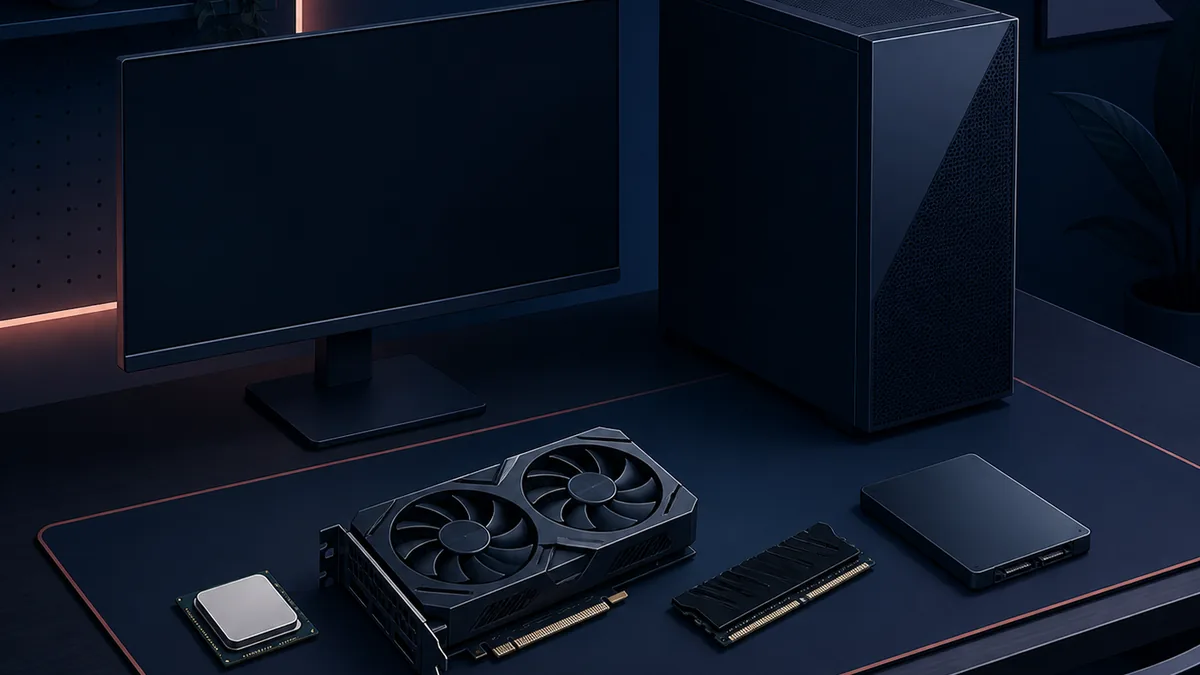
Official minimum PC requirements
The clearest published baseline is the current minimum section on Steam. It names Windows 10, a sixth-generation Intel Core i5 or first-generation Ryzen 5 class processor, 8 GB of memory, a GTX 1060 6 GB or RX 580 class graphics card, and 20 GB of available space. The table keeps the store wording visible rather than turning an equivalent component into a made-up exact benchmark.
These numbers answer an eligibility question: does the computer resemble the configuration the store lists for launching the game? They do not tell you which graphics preset to use, how a busy scene will feel, or whether a loader and community package will behave. Minimum hardware can be enough to start while still leaving little headroom for effects, background tasks, recording, or mods.
| Area | Steam minimum | How to read it |
|---|---|---|
| Operating system | Windows 10 | The published PC baseline; check the current store page after a major update. |
| Processor | Intel Core i5-6500, AMD Ryzen 5 1400, or equivalent | Equivalent does not mean identical performance in every scene. |
| Memory | 8 GB RAM | The listed minimum; keep the rest of the system from competing for memory. |
| Graphics | Nvidia GTX 1060 6 GB, AMD Radeon RX 580, or equivalent | Use the dedicated VRAM figure as part of the comparison, not just the GPU family name. |
| Storage | 20 GB available space | Leave practical free space for updates, shader data, backups and separately stored archives. |
Can your PC run Dead as Disco?
Use the published minimum as a first filter, then check the complete machine rather than one component in isolation. A laptop may share a GPU name with a desktop card but use a different power limit. A system can also meet the CPU and GPU lines while losing stability because memory is nearly full, the game is installed on a crowded drive, or another program is capturing video.
The phrase dead as disco can i run it is a practical question, not an invitation to trust a random benchmark badge. Third-party calculators can be useful for a rough comparison, but the official Steam listing is the authority for the current published requirement. If your hardware is close to the line, launch the unmodified game first and treat the result as your own test rather than a guarantee for every player.
- 1. Compare the operating systemConfirm that the machine uses the Windows baseline listed by the store and that Windows, drivers and the launcher are fully updated.
- 2. Check the full CPU and GPU modelDo not compare only an i5, Ryzen or GTX label. Record the exact model and the graphics memory shown by Windows or the manufacturer.
- 3. Confirm memory and free storageCheck installed RAM and leave more room than the 20 GB listing when updates, capture files or mod archives will share the drive.
- 4. Launch without modsUse a clean game, repeat a normal menu or stage, and note launch time, stutter, input response and crashes before changing files.
- 5. Add only one variableIf the clean game is stable, change one graphics option or add one known-good package so a new failure has an identifiable cause.

Windows requirements are not Steam Deck settings
The Steam requirement is written for a Windows PC. It does not answer whether a particular Steam Deck, Proton branch, SteamOS release, or docked display will behave the same way. The dedicated Steam Deck settings guide covers frame pacing, graphics, Proton and cautious file checks as a separate task.
Keep the boundary clear when reading search results. A page about Steam Deck settings can recommend a reversible test baseline without replacing the official Windows requirements. Conversely, meeting the Windows minimum does not prove that a mod loader works through a Proton prefix or that a custom song package will import correctly.
- Use the Steam listing for the published Windows requirement.
- Use the Steam Deck guide for handheld frame-pacing and Proton experiments.
- Use the installation guide for archive paths, loaders and relative folders.
- Use troubleshooting when the clean game works but a new package changes the result.

How mods change the practical baseline
The system requirement describes the game, not every layer a player may add later. A character replacement, graphics tweak, map, custom song tool or manager can introduce extra files, loaders, dependencies and conflict paths. That is why a PC that launches the clean game can still need a separate mod test and rollback plan.
Start with the folder-safe installation guide: keep the original archive structure, record what was copied, and test one package. If you use a manager, the Mod Manager guide explains why its selected game path and source version still need checking. Do not treat the 20 GB store line as a promise that there is enough space for every archive, backup, shader cache and future update.
| Situation | First action | Reason |
|---|---|---|
| Clean game fails | Verify the official installation and drivers before adding files | A mod cannot be the cause of a failure that predates the mod. |
| Clean game works, one visual mod fails | Move the newest package out and repeat the same launch | The last changed layer is the strongest first suspect. |
| Manager sees the game but nothing changes | Check the selected executable, source instructions and folder path | A manager cannot repair a wrong edition, loader or relative path. |
| Custom song or map behaves differently | Use its own readme and the song/map workflow | Audio, charts and maps may have separate formats and dependencies. |
If the game is unstable, test before upgrading
A requirement page should not turn one bad launch into a shopping list. First repeat the clean test, close background capture tools, confirm the game is using the intended GPU, and change one graphics option at a time. If the problem appears only after a mod, switch to troubleshooting instead of assuming that a faster component will fix a wrong folder or missing dependency.
When an upgrade is genuinely needed, compare the exact parts against the full published baseline and leave headroom for the way you play. More memory can help a busy multitasking system; a stronger GPU can create more graphics margin; a faster CPU can help when the processor is the limiting part. Those are general testing principles, not official Dead as Disco recommendations, so keep the store page as the source of truth.
- Record the exact hardware model, driver date and game build before changing anything.
- Check whether the game is CPU-limited, GPU-limited or affected by storage and background tasks.
- Do not compare a desktop graphics card directly with a low-power laptop version by name alone.
- Keep a clean rollback state before testing a loader, manager or large mod set.
Recheck after updates and source changes
Dead as Disco is still presented as an Early Access PC game, and the official pages can change their requirements or current news. A search snippet, old video or mod description may remain online after the game moves on. Revisit the official Steam page and the official game site when an update is announced instead of silently carrying an old number forward.
The same habit applies to community files. A source-active listing is not a compatibility guarantee. Before restoring a mod after an update, create a dated save backup using the save guide, launch the clean game, and reintroduce the loader and packages one at a time.
- 1. Capture the known-good stateWrite down the date, game source, driver, exact hardware and enabled packages.
- 2. Check official pagesRead the current Steam requirement block and official news before trusting an old benchmark or mod comment.
- 3. Launch cleanVerify that the updated game reaches the menu and a normal stage without community files.
- 4. Restore in layersAdd the loader, manager or one package at a time and stop at the first changed result.
Limits of this requirements guide
This page is an evidence-led starting point, not a benchmark database, a certification, a promise of a fixed frame rate or a substitute for the current official store listing. It deliberately avoids inventing recommended hardware, a stable public game version or a universal mod folder. When the publisher changes the requirement block, the official page wins over this summary and the page should be refreshed.
The site also does not re-host game files or mod archives. Follow the creator's current source page for ownership, permissions, dependencies, files and removal instructions. If a download page is unavailable or a file is marked obsolete, use the source page only and do not treat a details page as a direct download.
- Minimum specs describe the store's baseline, not every player's performance result.
- Mod compatibility depends on files, loaders, paths, dependencies and game updates.
- Steam Deck and other platforms require their own current compatibility evidence.
- Use official sources for new requirement or release claims.
Dead as Disco system requirements FAQ
What are the minimum Dead as Disco system requirements?
Steam currently lists Windows 10, an Intel Core i5-6500 or AMD Ryzen 5 1400, 8 GB RAM, an Nvidia GTX 1060 6 GB or AMD RX 580, and 20 GB of available storage. Check the official page again after major updates.
Can I run Dead as Disco with 8 GB RAM?
8 GB is the published Steam minimum, so it is the correct starting comparison. It is not a promise of smooth performance when background apps, recording, updates or mods are also using memory.
Is Dead as Disco supported on Steam Deck?
The published requirements are for Windows PC and do not certify every Steam Deck or Proton setup. Use the separate Steam Deck guide for a reversible test baseline and retest after game or Proton updates.
Do Dead as Disco mods require a stronger PC?
Not every mod adds the same load, but loaders, graphics changes, maps, managers and custom-song tools can add files or compatibility variables. Test the clean game first, then add one package and keep a rollback copy.
Does 20 GB mean I only need 20 GB free?
20 GB is the storage figure shown in the Steam minimum block. Leave additional practical room for updates, shader data, backups and mod archives instead of filling the drive to the listed minimum.
Where should I check for changed requirements?
Use the current official Steam store page for the published PC requirement and the official Dead as Disco website for game news. Treat old videos, snippets and community comments as secondary context.
Source and safety note
Checked August 16, 2026. The official Steam page returned successfully and exposed the minimum Windows requirement used in the table below. The official Dead as Disco website also returned successfully and remains a useful place to watch current game news. The Nexus Mods hub was checked as a source destination, but its page was blocked by a Cloudflare verification response in this environment, so no Nexus-only mod fact is presented as a hardware requirement. This page has no direct-download CTA and does not invent a semantic game version.